R4DS第二章
本書第二章到第八章屬於Exploration階段,第二章介紹此階段的步驟與其對應章節。
3.1 Intro.本書將以ggplot2 實作視覺化。畫圖前記得reload這一包:library(tidyverse)
3.2
3.2.1
嘗試繪圖回答此問題:Do cars with big engines use more fuel than cars with small engines? What does the relationship between engine size and fuel efficiency look like? Is it positive? Negative? Linear? Nonlinear?
使用ggplot2 中附的mpg data frame 來實作(但其實仔細說來是屬於tibble這個數據結構)
3.2.2 Creating a ggplot
install.packages("tidyverse")
library(tidyverse)
install.packages(c("nycflights13", "gapminder", "Lahman"))
mpg
glimpse(mpg) # tibble包中查看的函數,也可以用str()---
summary(mpg) # 針對每個自變數做簡單的敘述統計---
ggplot(data = mpg) +
  geom_point(mapping = aes(x = displ, y = hwy))  # 以ggplot2包繪圖,aes中指定x軸與y軸作圖變數

ggplot2這個繪圖包是以圖層的概念繪圖,說明如下:
ggplot(data = mpg) +    # ggplot()產生畫布(繪圖背景),data參數指定繪圖來源,不同圖層之間以+連接---
  geom_point(mapping = aes(x = displ, y = hwy))  # 以geom_point()函數產生幾何圖形,aes()設定坐標軸、顏色
                                                 # 透過mapping中的參數設定「這一個圖層」的aesthetic mapping
                                                 # (美學對應)
以上統整與解讀來自下面兩篇實用文章:
統計R語言實作筆記系列 – 2D視覺化進階 GGPLOT()的基本架構(一)
R ggplot2 教學:圖層式繪圖
3.2.3 A graphing template
接著本章內容將以相同繪圖模板(graphing template)做更多示範。
ggplot(data = <DATA>) +                             # graphing template ---
  <GEOM_FUNCTION>(mapping = aes(<MAPPINGS>))
3.3 Aesthetic mappings
An aesthetic is a visual property of the objects in your plot. Aesthetics include things like the size, the shape, or the color of your points.
mapping參數用以調整幾何圖層的外觀(visual property)
範例:在下圖中發現離群值(紅點),於是假設離群值屬於hybrid類型的車子,如何驗證假設?

You can add a third variable, like
class, to a two dimensional scatterplot by mapping it to an aesthetic.
# mapping the aesthetics in your plot to the variables in your dataset

ggplot(data = mpg) +
  geom_point(mapping = aes(x = displ, y = hwy, color = class))
# map the colors of your points to the class variable to reveal the class of each car.

由上圖發現離群值主要是 two-seater cars 而並非是hybrid cars
更多應用:
The code works and produces a plot, even if it is a bad one.
注意以下程式區塊中的Warning message,如果code成功執行,console會跳出如下註解的Warning message,提醒user作圖時與解讀時的重要統計概念,與本書的Solution Manual 相輔相成。
相較於僅注重demo語法的工具導向的書,R for Data Science中時時提醒統計概念這點,令人舒服,畢竟這些語法最後還是得活用在多元的分析情境下。
# 下圖一,alpha控制不同資料點的透明度
ggplot(data = mpg) +
  geom_point(mapping = aes(x = displ, y = hwy, alpha = class))

# Warning message:
#   Using alpha for a discrete variable is not advised. ---


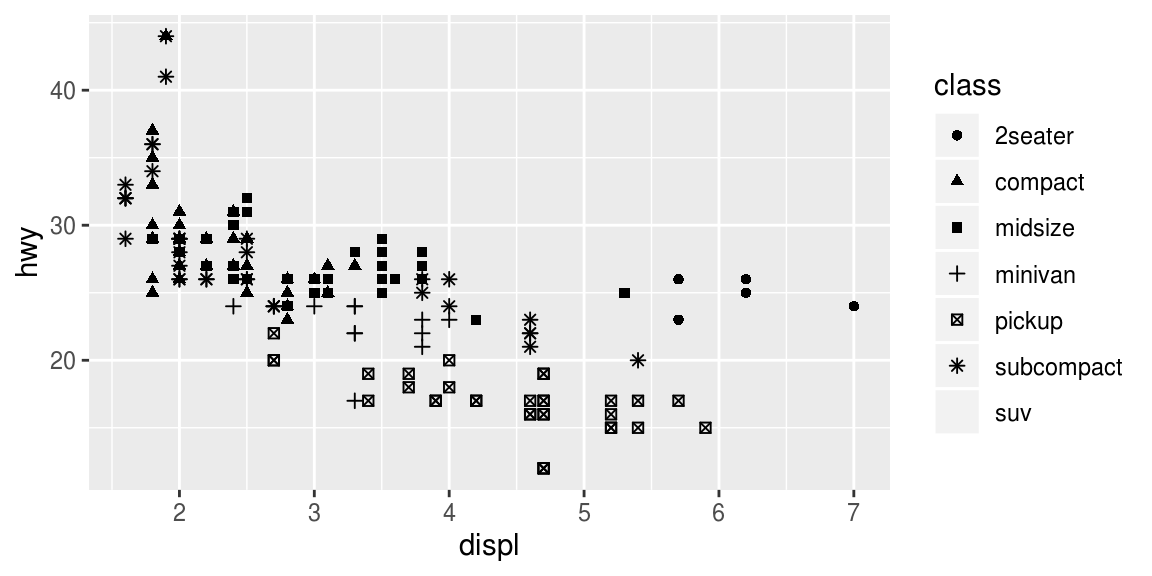
# 下圖二,shape控制不同資料點的形狀
ggplot(data = mpg) +
  geom_point(mapping = aes(x = displ, y = hwy, shape = class))

# Warning messages:
#  1: The shape palette can deal with a maximum of 6 discrete values because
#  more than 6 becomes difficult to discriminate; you have 7. Consider
#  specifying shapes manually if you must have them.
#  2: Removed 62 rows containing missing values (geom_point). ---

Exercise 3.3.1
嘗試手動調整mapping函數中的引數,例如將所有資料點變成藍色
# The aes() function gathers together each of the aesthetic mappings used by a layer and passes them to # the layer’s mapping argument. ---

ggplot(data = mpg) +
  geom_point(mapping = aes(x = displ, y = hwy), color = "blue")
# color = "blue" 放置在mapping()中,視為繪圖需要設定之參數與參數值的映射關係,例如將所有資料點變成藍色

# ggplot()與geom_point()中皆有mapping引數設定aes(),注意意義不同,限制不同
# 本範例color參數設定放置在aes()中或aes()外mapping中,產生不同output

ggplot(data = mpg) +
  geom_point(mapping = aes(x = displ, y = hwy, color = "blue"))
# color = "blue" 放置在aes()中,可視為除了x,y 軸之外第三個變數的設定
mapping函數中的引數 ,除資料點顏色之外,尚可調整資料點大小(size of a point)、資料點形狀(shape of point)等。
Exercise 3.3.3
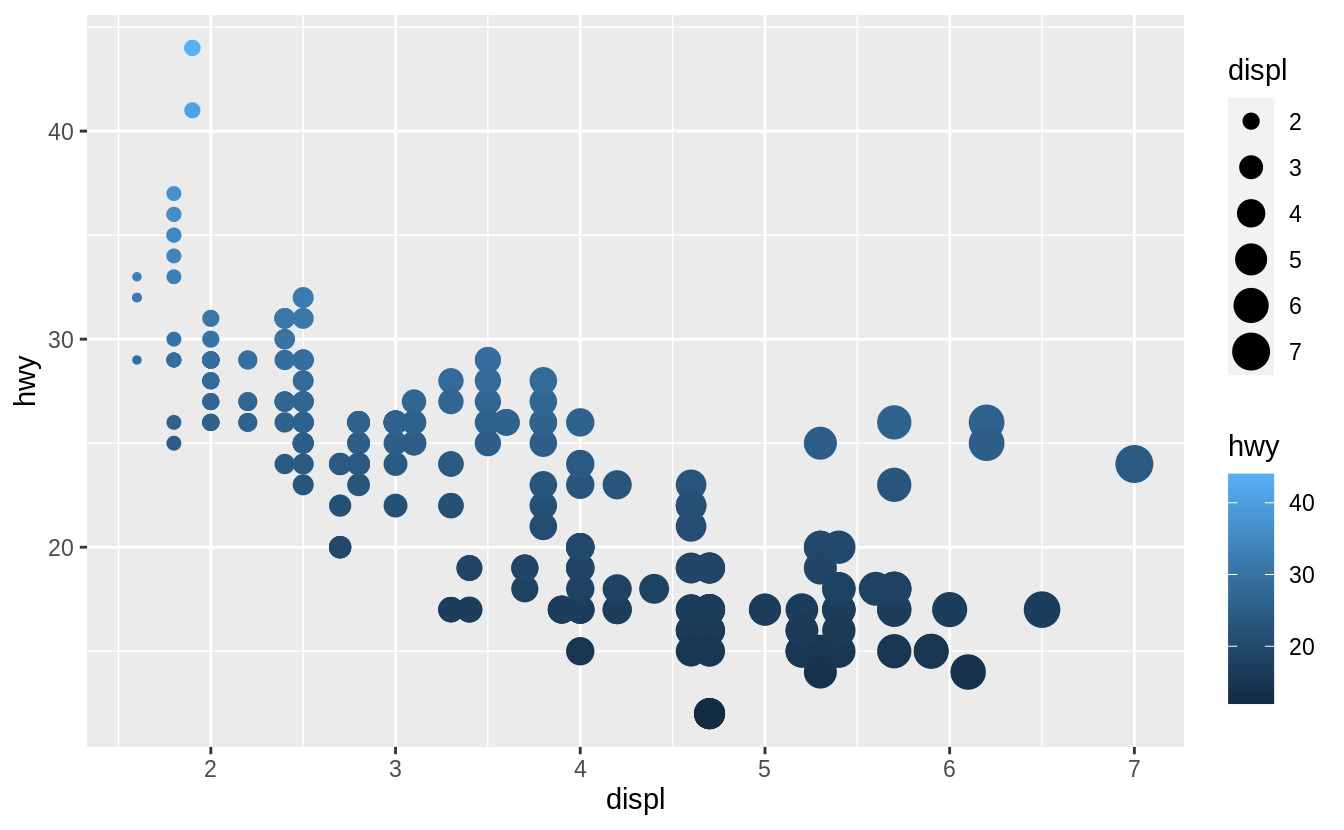
連續型變數引入ggplot()的aes()中,資料點顏色隨著資料點數值有深淺漸層
ggplot(mpg, aes(x = displ, y = hwy, color = cty)) +
  geom_point()
#ggplot()中的aes()中的color用於指定一個自變數,但是不能指定特別顏色如color = "blue"
#見上一個程式區塊所述,指定資料點顏色條件式需放置在geom_point()的mapping()中

#等價於
#ggplot(data = mpg) +
#  geom_point(mapping = aes(x = displ, y = hwy, color = cty))

# When mapped to size, the sizes of the points vary continuously as a function of their size.
# 連續型變數引入aes函數中,資料點大小隨著資料點數值而變動
ggplot(mpg, aes(x = displ, y = hwy, size = cty)) +
  geom_point()

#等價於下列程式碼
#ggplot(data = mpg) +
#  geom_point(mapping = aes(x = displ, y = hwy, size = cty))
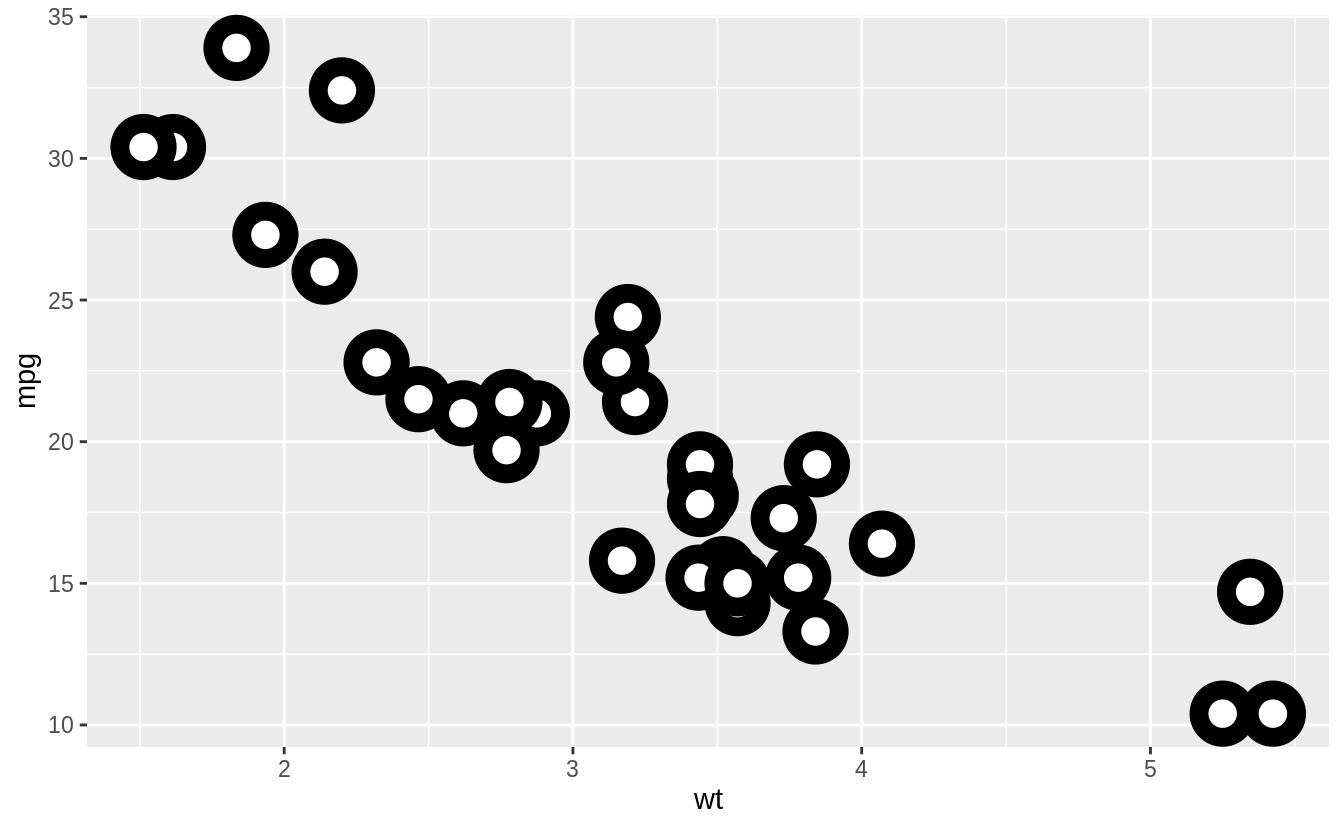
ggplot(mtcars, aes(wt, mpg)) +
  geom_point(shape = 21, colour = "black", fill = "white", size = 5, stroke = 5)
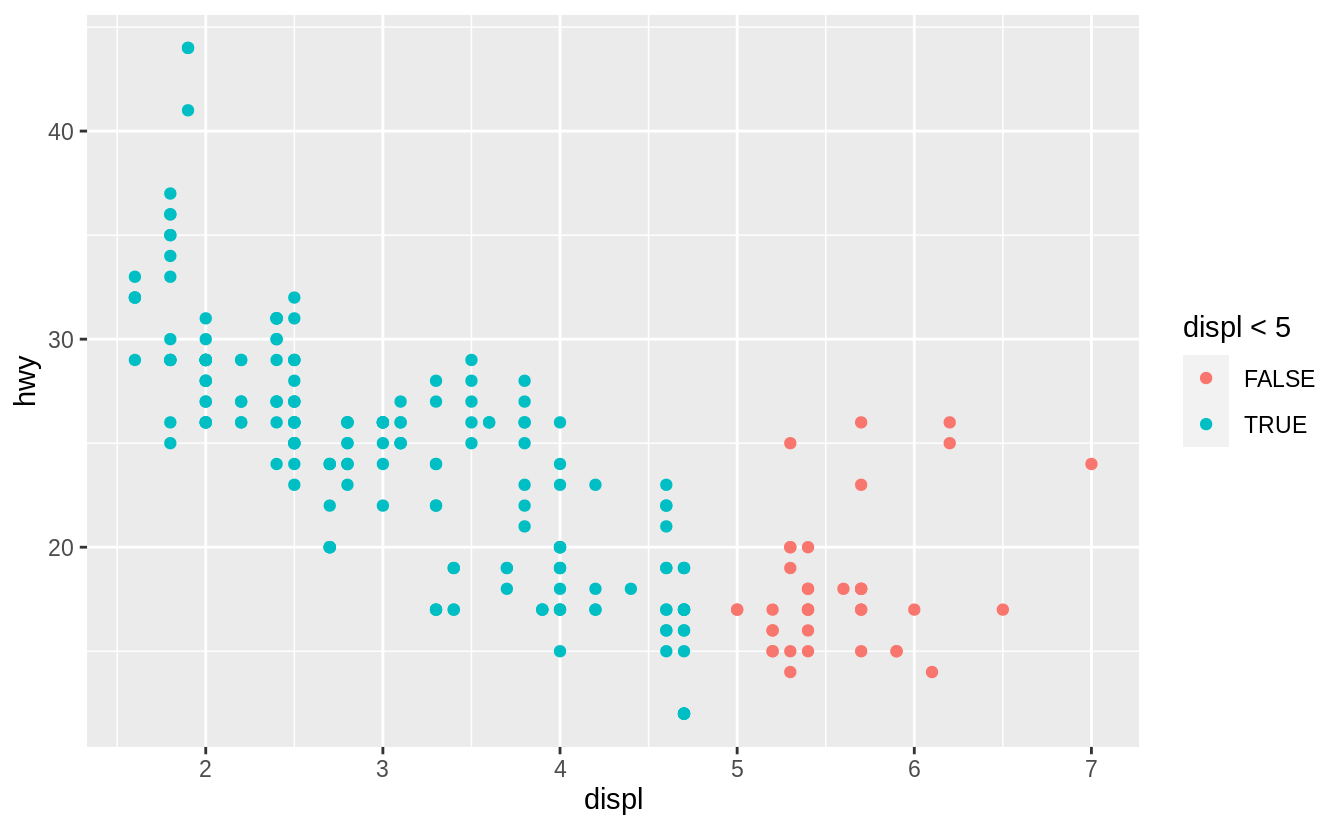
Exercise 3.3.6
ggplot(mpg, aes(x = displ, y = hwy, colour = displ < 5)) +
  geom_point()
# 注意條件式colour = displ < 5 放置在ggplot中的aes函數
 Megan's Note